

A workflow is a chain of actions that runs when something happens: a user signs up, a record updates, a scheduled time arrives. Every Biscuit app has workflows. Biscuit creates them as it builds your app, and you can edit them by chatting with Biscuit.
Trigger types
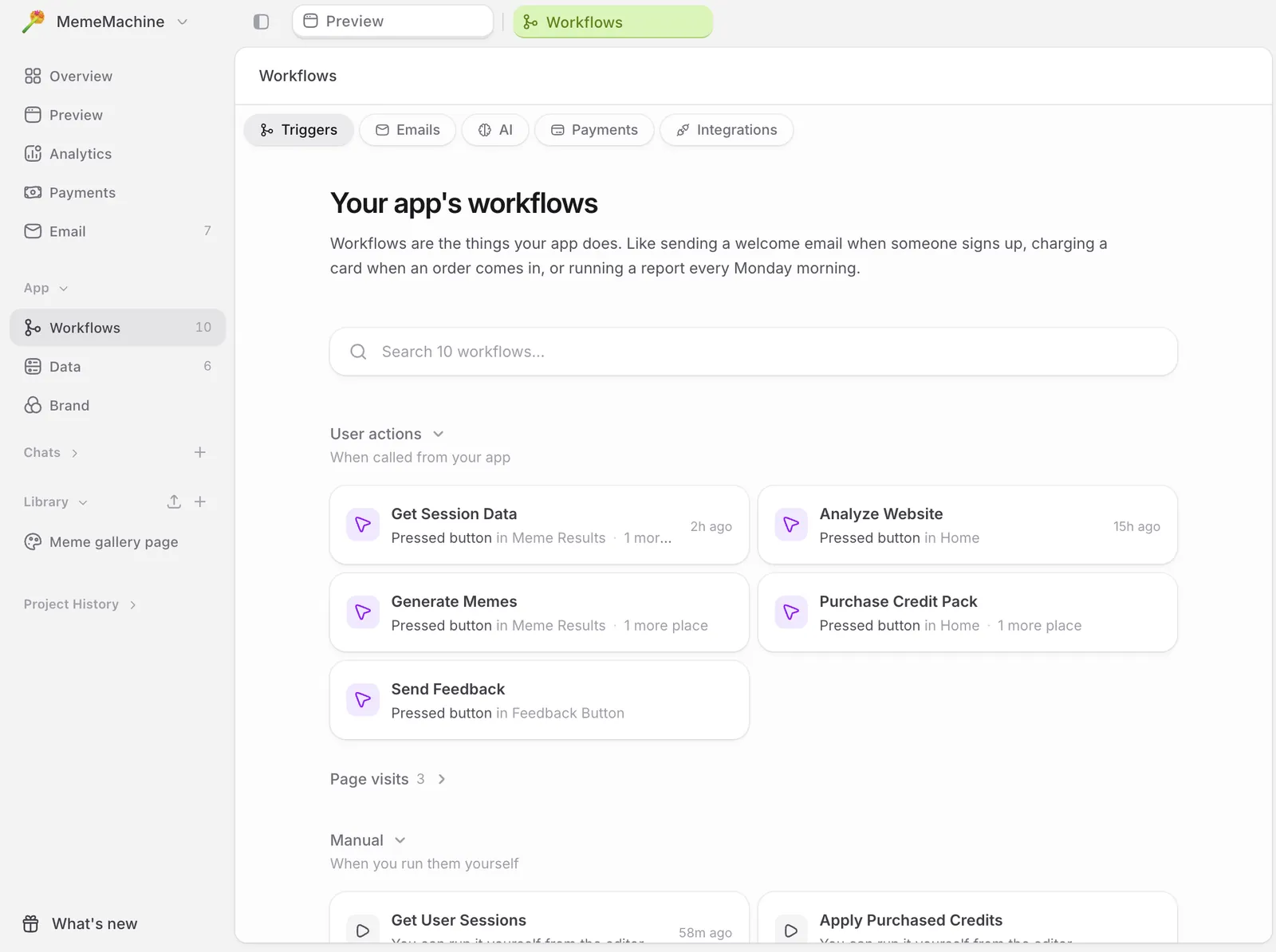
Workflows run on five kinds of triggers:- a user interaction (a click, form submit, or sign-in)
- a data change (a record is created, updated, or deleted)
- a recurring schedule (every Monday at 9am, every hour)
- an API call or webhook from an external service
- a navigation event when a user opens a specific route
/dashboard), parameters (/users/:id), and wildcards (/admin/*).
Steps and actions
Each workflow has one trigger and one or more actions, called steps. Steps run in order. They can call AI, send an email, write to the database, fetch from an external API, or branch based on a condition. Biscuit visualizes the full chain so you can see what runs, in what order, and what data flows between steps. You don’t see code. The logic is rendered as a diagram.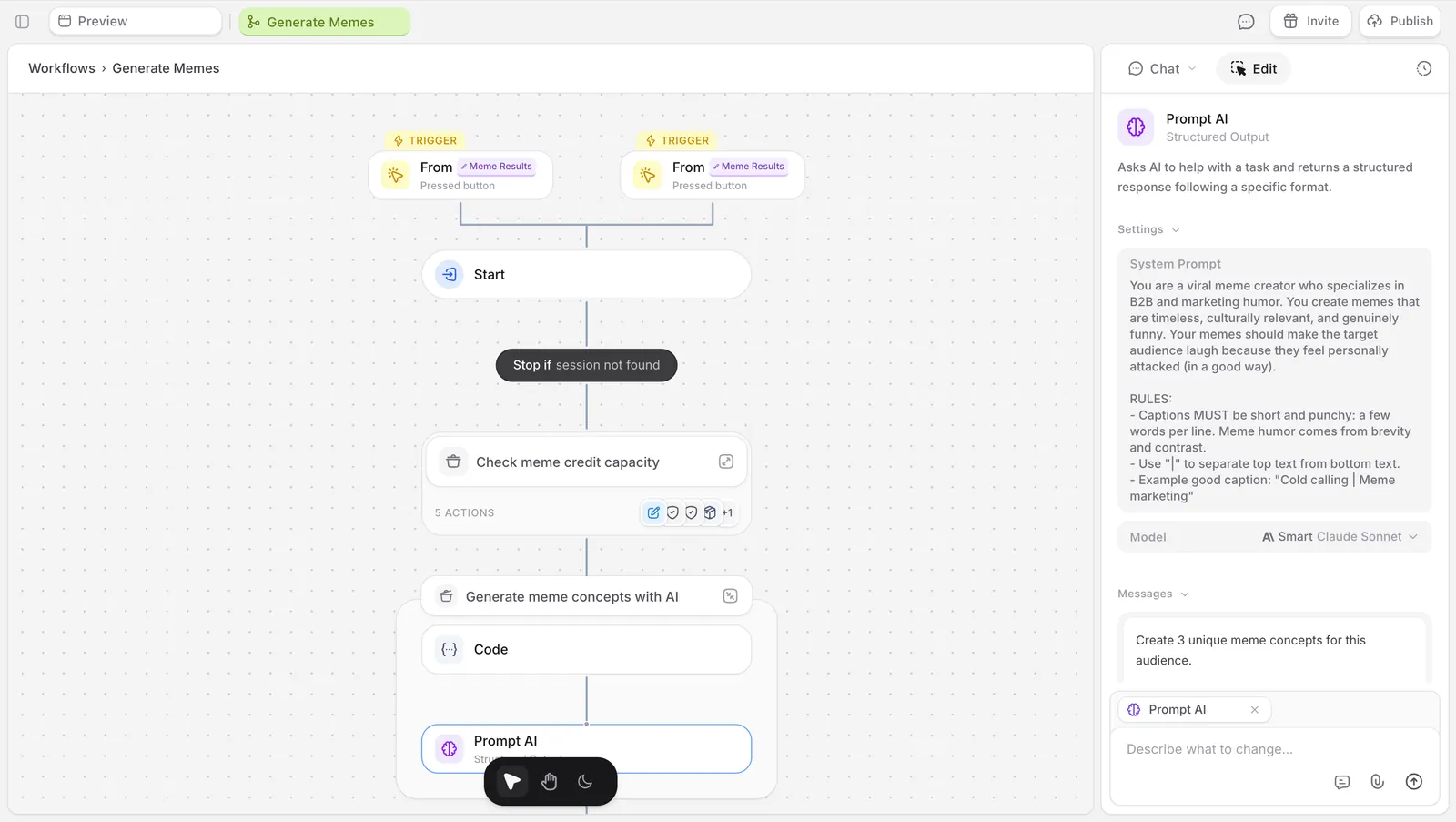
Editing workflows
Edit any step by selecting it and prompting the change in chat. Examples:- “change this prompt to focus on health and wellness”
- “switch this image step to nano banana 2”
- “add a condition before this email so it only sends on weekdays”
Drafts and republishing
Edits to a workflow create a draft version that runs in your editor preview. Your published app keeps running its previously-published workflow until you click Update. This makes it safe to experiment. You can test a new version of a workflow against your preview without affecting users on your live app.Where to find them
In the side navigation, App → Workflows. The page lists every workflow in your app and gives you five ways to browse. Triggers (the default) groups workflows by what fires them, using the trigger kinds above. Emails, AI, Payments, and Integrations each show only the workflows that involve that capability. Click any workflow to open it and see the full chain.Up next
Sending emails
Trigger emails from your app on signup, milestones, or schedules.
Receiving emails
Your app has its own email address.
Working with Data
Every Biscuit app has a built-in database.