

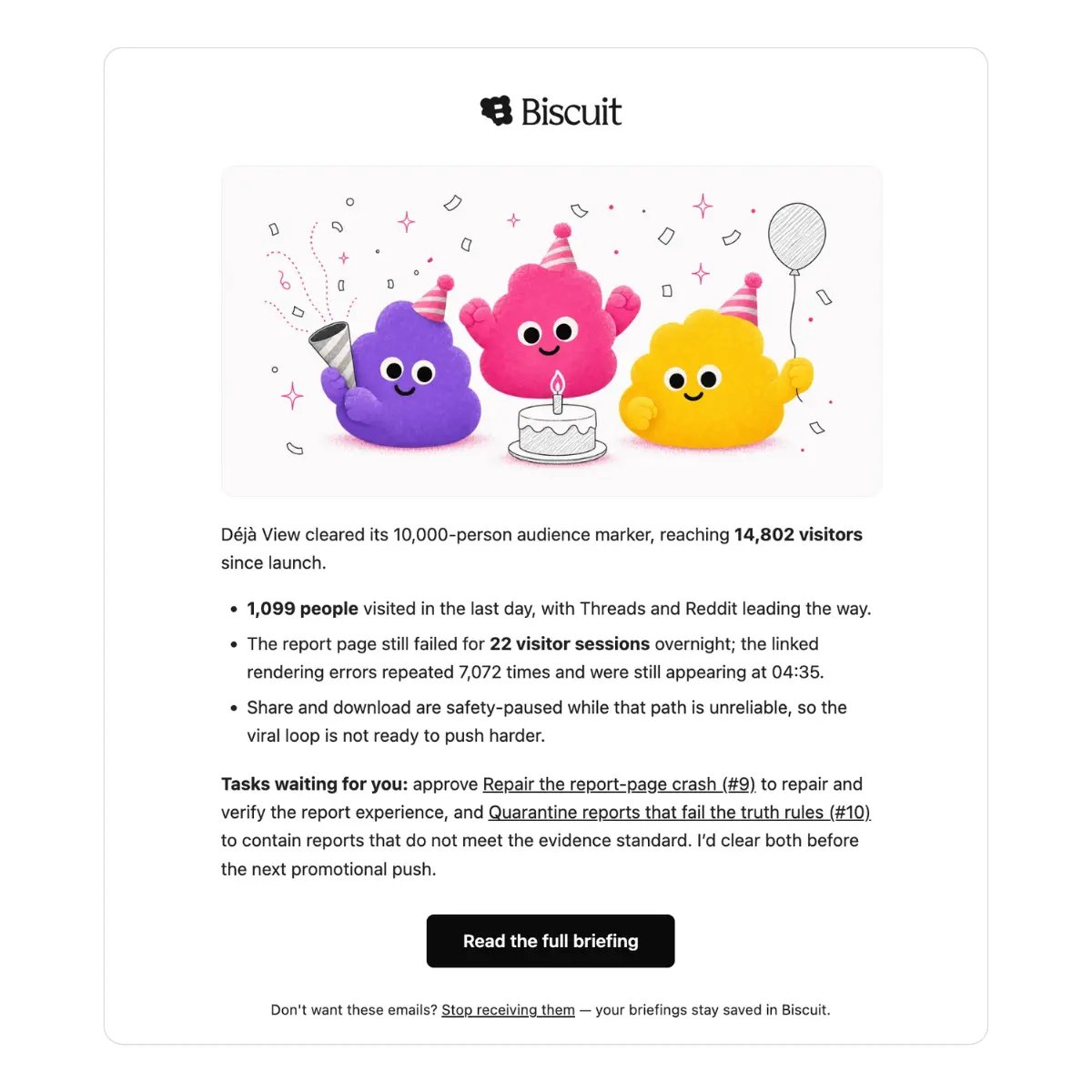
What Biscuit reviews
Each night, Biscuit looks at roughly the last 24 hours of activity:- Visitors and signups: who came to your apps and who signed up.
- Revenue and sales: payments and orders.
- Email: messages your apps received.
- Data: new records in your data tables.
- App health: whether your apps are live, runtime errors, code issues, and recent changes.
- Search: how your apps are showing up in search results.
- Its own tasks: progress on work it started on earlier nights.
How it investigates
When something looks unusual, Biscuit checks it before reporting it. It can write its own code to read the relevant screens, confirm a number is real, and work out whether an error is still happening and which part of your app it affects. What reaches your briefing has already been looked into.What it does, and what it leaves to you
Biscuit handles small, low-risk work on its own, such as research, cleanup, or a first pass at something you’d planned to start. It doesn’t act on anything with real consequences. For changes involving the following, it writes up a recommended next step instead and leaves the decision to you:- Money and payments
- How your live apps behave
- Signups and user accounts
- Customer data
Your morning briefing
Biscuit writes a briefing every night, even when nothing happened. On a quiet night, the briefing says so, and notes any sources it couldn’t check. Briefings are written in plain language, about customers, signups, and revenue rather than technical details.Finding your briefings
Briefings appear on your Home screen. Every briefing is also saved in your space’s library: open your space, go to Library → General → Briefings, and select a briefing by date.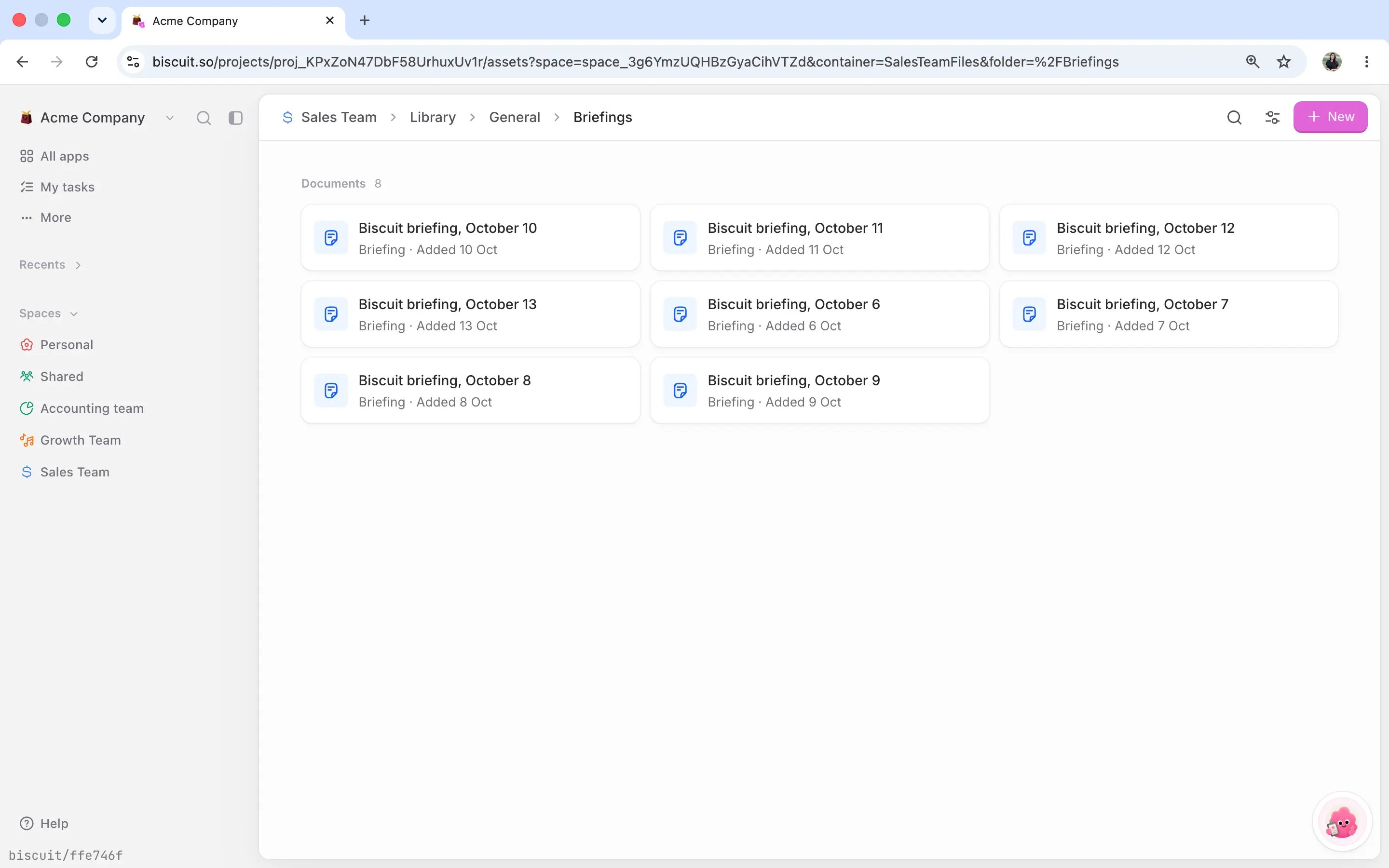
Morning emails
Biscuit only emails a briefing when something needs attention, such as a sudden spike in traffic, a new error, or a recommended next step waiting for a decision. On quiet nights, there’s no email, but the briefing is still written and saved. Who gets the email depends on the space:- Team spaces: everyone with the Owner role in that space.
- Personal space: only you.
- Spaces with no owner: the workspace owner.
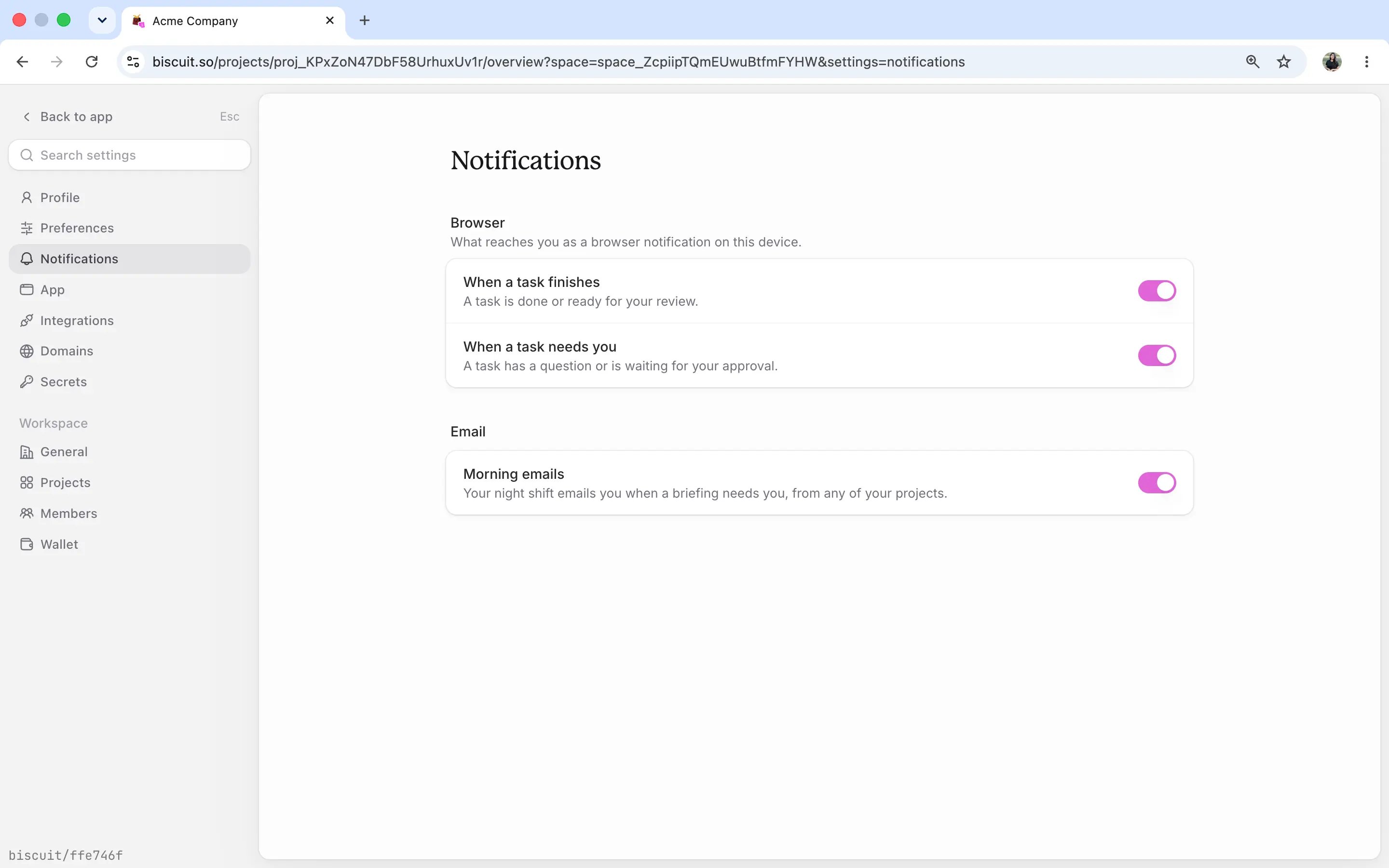
- Open Settings and select Notifications.
- Under Email, turn off Morning emails.
How it separates signal from noise
- It knows your team. Signups from your own team members aren’t counted as new customers.
- It knows what your app is for. An internal tool won’t get growth or SEO suggestions.