

Publishing your app
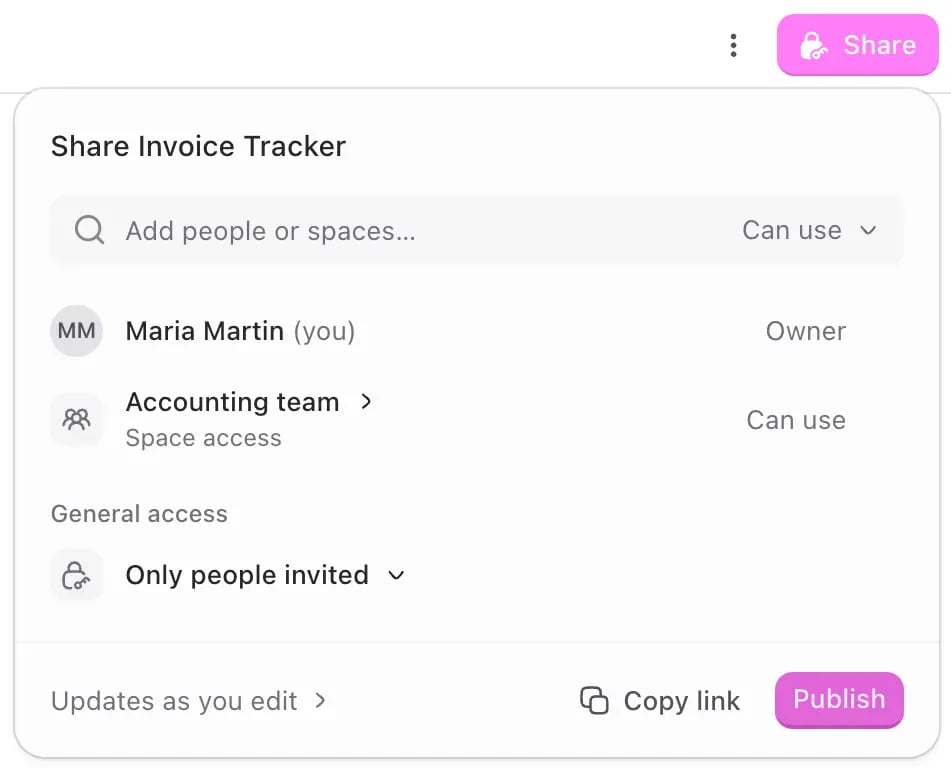
- Open the app, click Share → Publish from top-right corner.
- Choose who can access it:
- Only people invited: only the people and spaces you’ve added. See Sharing apps.
- Everyone at company: everyone in your workspace.
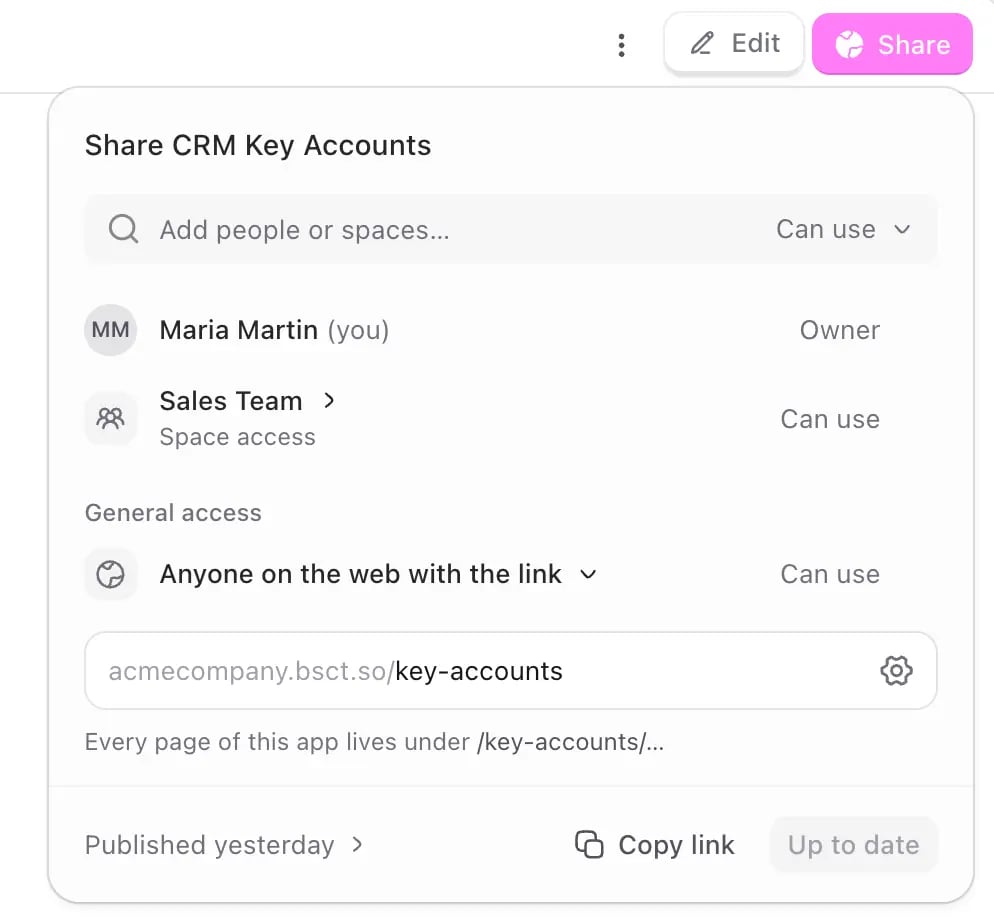
- Anyone on the web with the link: anyone, including people outside your company. See Publishing to the web below.
- Confirm to publish.
Publishing updates
Every change you make creates a new version of your app, but people using it keep seeing the published version until you publish again. For example: you publish your app, and a teammate starts using it. Then you add a new feature. Your teammate won’t see the new feature until you click Publish again. This means you can work on changes without interrupting the people who use your app. Publish when you’re ready for them to see it. Anyone with Can edit access can publish a new version.Publishing to the web
Choose Anyone on the web with the link to make your app public. Use this for things that are meant to be public, like websites, landing pages, and forms.Only publish to the web what’s meant to be public. Internal tools, dashboards, and apps with confidential data should stay limited to your team or company. See Access control.
Your web address
When you publish to the web, Biscuit gives your app a free website address on.bsct.so. Edit the name in the address if you want a different one.
Before your app goes live, add an app icon and check the website information, such as the title and description people see when your link is shared. Biscuit then runs a safety check, and when it passes, your app is published.
Connecting your own domain
You can use your own domain, likeyourcompany.com, instead of the free .bsct.so address.
- On the publish screen, click Settings → domains and click “Use your own domain”
- Biscuit shows the DNS records you need. Add them at your domain provider such as GoDaddy, Namecheap, Porkbun, Cloudflare, or another provider.
- Save the records. Biscuit handles the rest.
Your domain is only used for your app’s web address. Your app’s email still uses
<your-app-slug>@apps.bsct.so for sending and receiving.Taking your app off the web
To make your app private again, change its access to Only people invited or Everyone at company.FAQ
Do my changes go live automatically?
Do my changes go live automatically?
No. People keep seeing the published version until you click Publish again. This lets you work on changes without affecting anyone using your app.
Why isn't my custom domain connecting?
Why isn't my custom domain connecting?
DNS can take up to 48 hours. Check that the records at your domain provider match what Biscuit shows on the publish screen. If they match, give it time.
Can I publish only part of my app to the web?
Can I publish only part of my app to the web?
No, publishing to the web makes the whole app public. If parts of it should stay internal, keep those in a separate app that’s limited to your team.