

To know your app works, you need to test it by clicking through each flow. Doing that by hand for every flow, every time your app changes, takes a long time.
Checks do this for you. A check is an automated test of one flow in your app. When you run it, Biscuit acts as a user, goes through the flow step by step, and tells you whether it works.
Where to find checks
- Open your app.
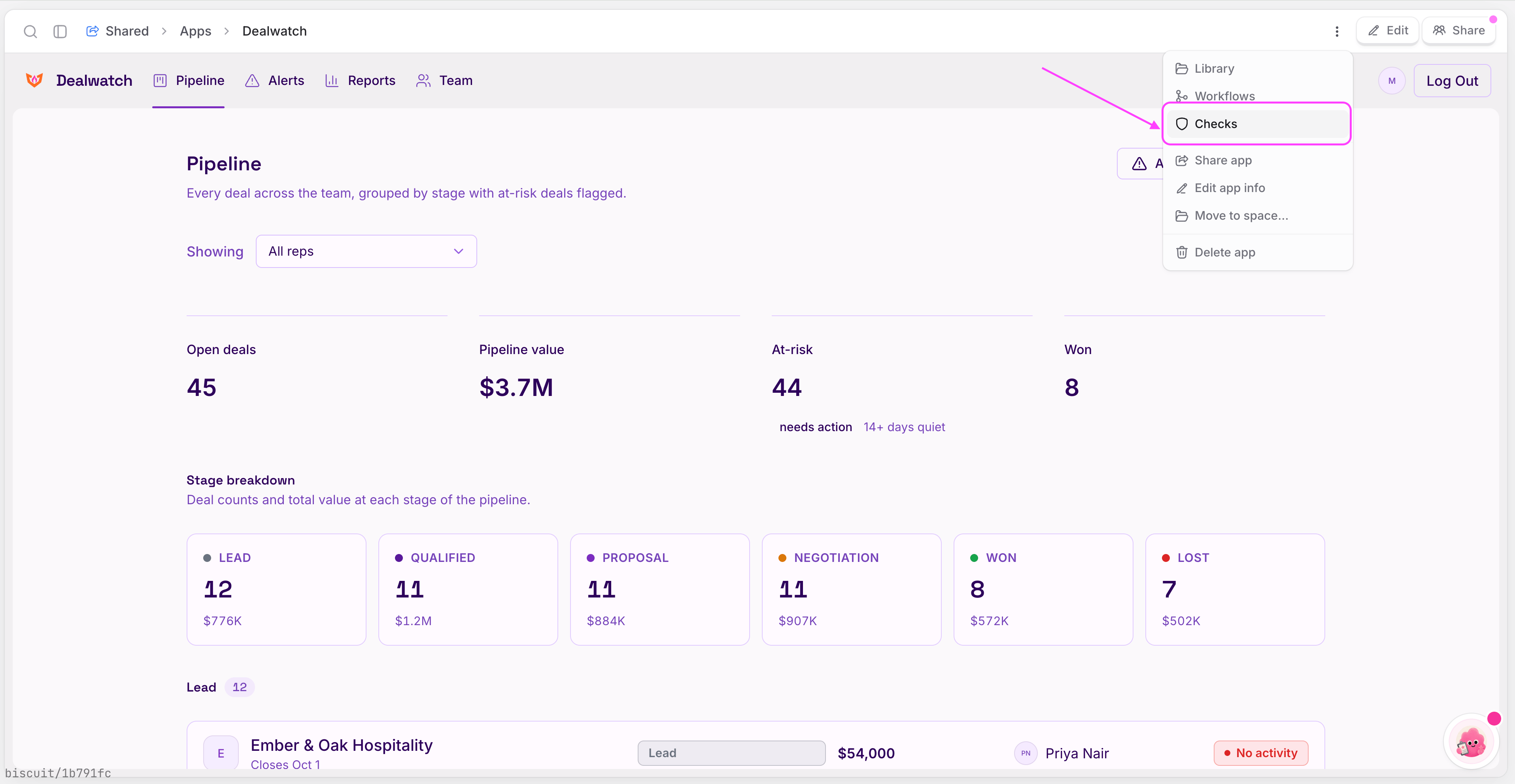
- Click the menu.
- Select Checks. The Checks screen lists every check for the app, shows how many are passing and failing, and when each one last ran.
Checks Biscuit creates for you
When Biscuit builds your app for the first time, it also creates checks for the app’s most important flows. You can run them straight away to see if your app is working correctly. You will see checks that are passing and failing each time you run them. A failing check means something in that flow isn’t working.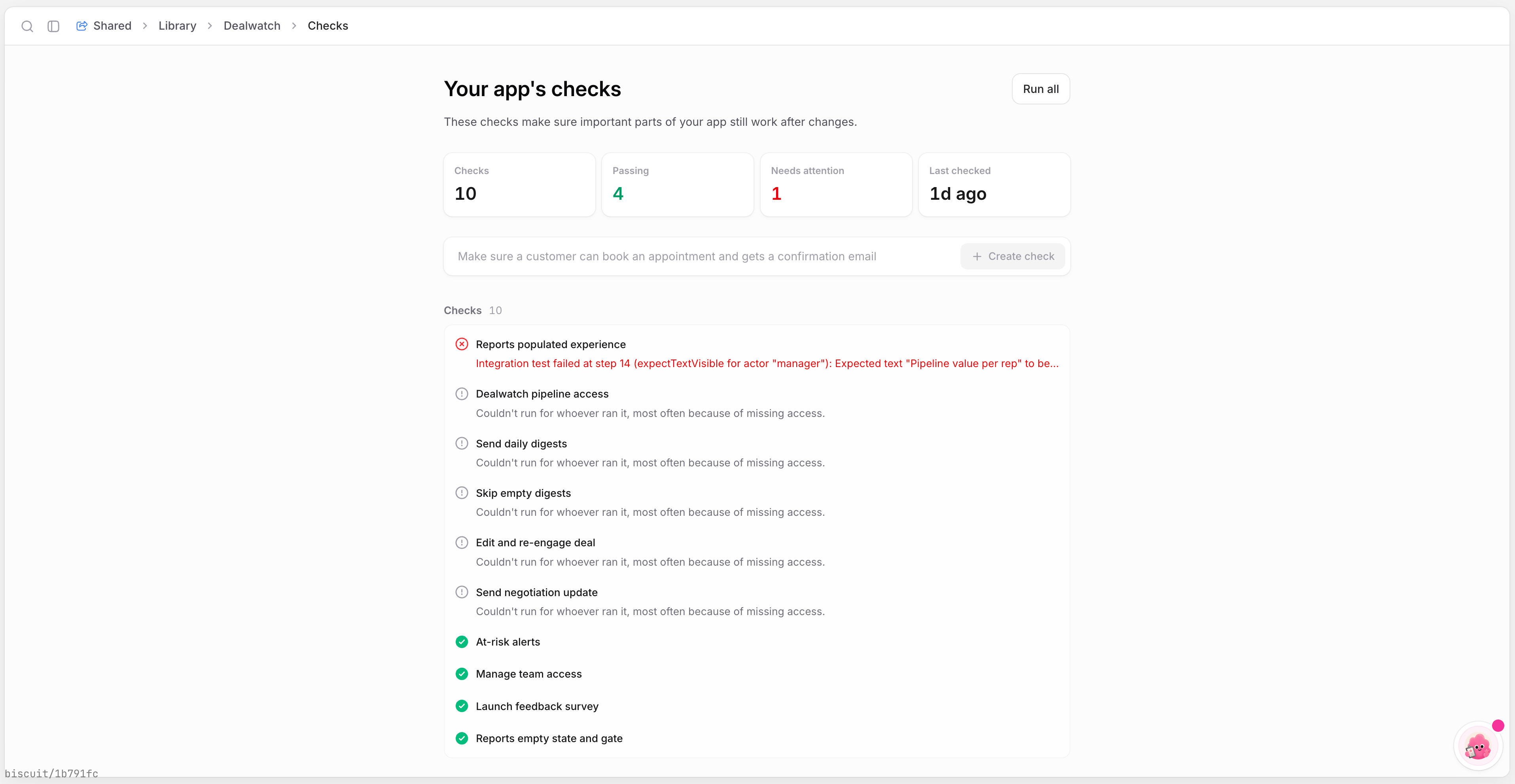
Running checks
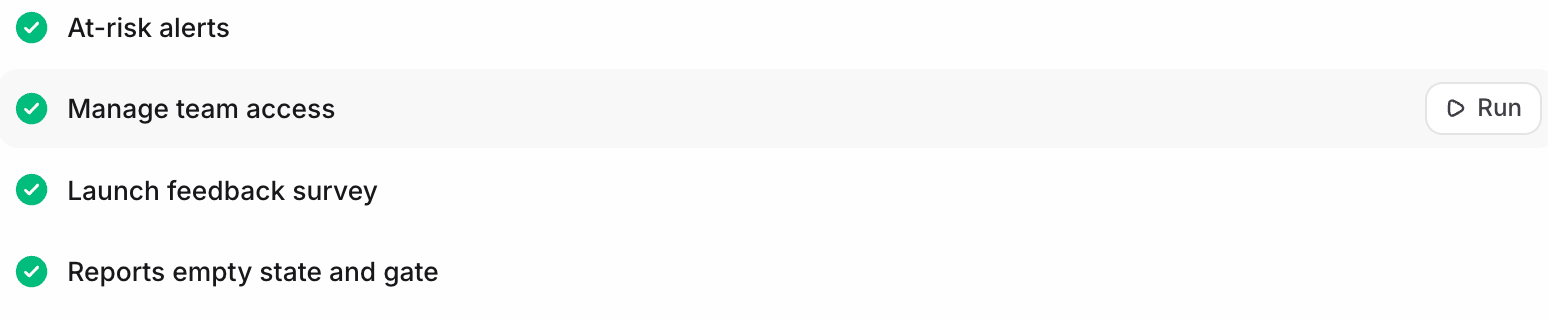
- To run one check, click Run next to it.
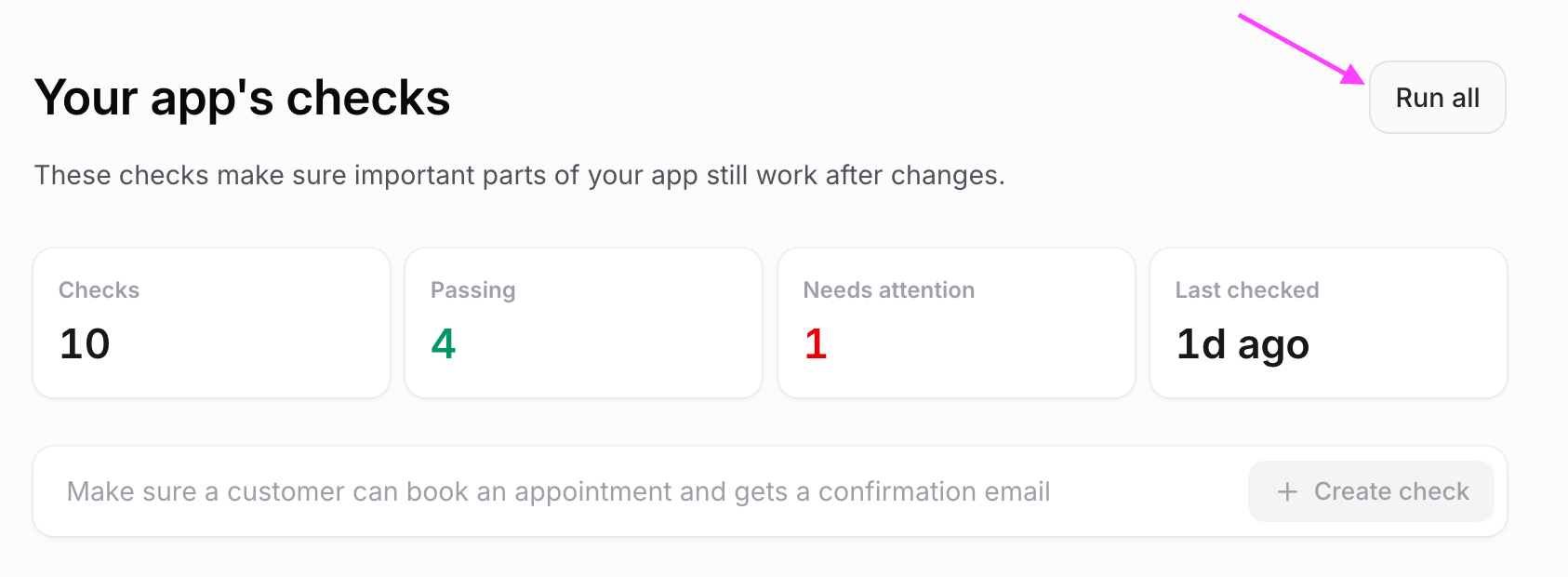
- To run every check at once, click Run all. Biscuit’s tester goes through each flow the way a user would. You can open a check to watch the run as it happens.
Checks never touch your live app data
Every run gets its own private, throwaway test copy of your app, so you can run checks as often as you like.- Your latest version: the test copy uses the version you’re working on, including changes you haven’t published yet.
- Test data only: the copy starts with the check’s own Starting data, which you can see in the check’s sidebar. Your real records aren’t in it.
- Nothing reaches the live app: anything the check creates, such as an invited member, an order or a new row, exists only in the test copy.
- No real emails: emails aren’t sent. Biscuit keeps a record of each email inside the test copy, so nobody receives a real invite.
Seeing why a check failed
Open a check to see each step the tester took and where it stopped. If something went wrong, the check shows the error, for example a console error that stopped the flow from finishing.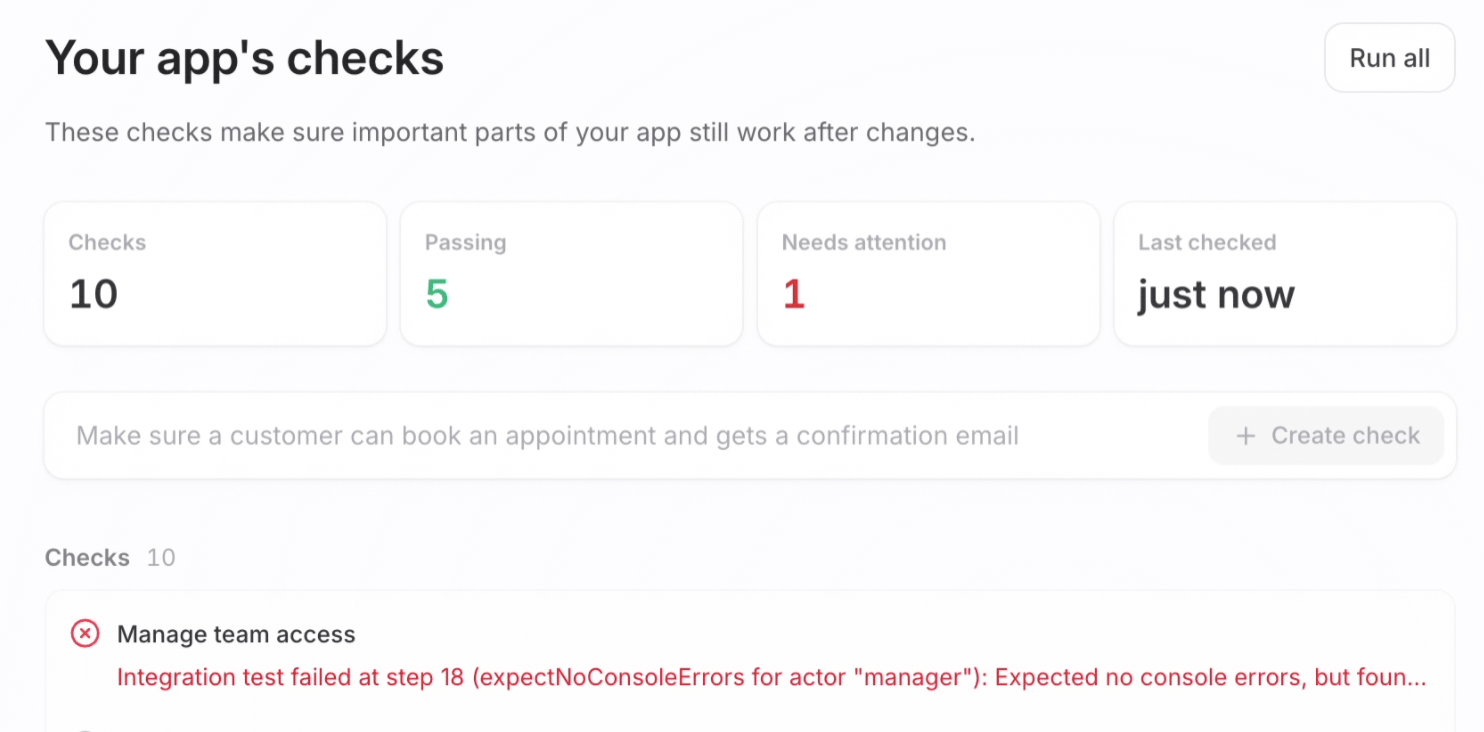
Fixing a failed check
You don’t need to work out the problem yourself. Ask Biscuit to fix it.- Open your app and click Edit.
- Tell Biscuit which check failed, for example: “There’s an error in the Manage team access check. Can you take a look and fix it?”
- Press Enter. Biscuit finds the check, reads its logs, works out what went wrong and fixes it. Like any change to your app, this creates a task. Review the fix and click Approve and Publish to put it live.
Creating your own check
Add a check for any flow you want to test regularly.- On the Checks screen, describe the flow in plain words, for example “Make sure the invite new member flow works.”
- Click Create check. The new check appears in the list. Click Run whenever you want to test that flow.
Only people with Can edit or Owner access can create checks.
FAQ
Do I have to set up checks myself?
Do I have to set up checks myself?
No. Biscuit creates checks for your app’s most important flows when it first builds the app. You can add your own at any time.
Do I need to know how to write tests?
Do I need to know how to write tests?
No. Describe the flow you want to test in plain words and click Create check. Biscuit writes the check for you.
What does a failing check mean?
What does a failing check mean?
Something in that flow isn’t working the way it should. Open the check to see where it stopped and what error it found.
How do I fix a failing check?
How do I fix a failing check?
Open your app, click Edit, and tell Biscuit which check failed. Biscuit investigates, fixes the issue and creates a task for you to review. After you approve and publish the fix, run the check again to confirm it passes.
Should I run all checks or just one?
Should I run all checks or just one?
Run one check to test a single flow. Use Run all to test your whole app, for example before publishing a bigger change.
Can running a check change my live app or its data?
Can running a check change my live app or its data?
No. Each run uses a private test copy of your app with its own test data. Anything the check creates stays in that copy.
Will a check send real emails?
Will a check send real emails?
No. Emails in a check aren’t sent. Biscuit keeps a record of them inside the test copy instead.
Do checks run automatically?
Do checks run automatically?
Partly. They run when you click Run or Run all. Biscuit also reruns the related checks whenever its AI changes your app.
Do failing checks stop me from publishing?
Do failing checks stop me from publishing?
No. Publishing doesn’t run checks and isn’t blocked by them. You can publish even if your checks are not completed.
Who can create checks?
Who can create checks?
People with Can edit or Owner access to the app’s space.
Can I watch a check while it runs?
Can I watch a check while it runs?
Yes. Open the check while it’s running to see each step the tester takes.
Up next
Tasks
Review and approve the fixes Biscuit makes.
Publishing app
Publish your app to your team, your company, or the web.