

<app-slug>@apps.bsct.so. The address is live from day one, the inbox UI is already there for reading and replying to messages, and anything sent to the address lands in your app’s database as an Email record. From there you can opt in to workflows that react automatically: reply, create tickets, save attachments, or anything else you set up.
Finding your app’s inbox
Open your app and go to the inbox view that ships with every project. It shows the app’s email address, a list of received messages (sender, subject, time, attachments), and a detail view for reading or replying to a single email.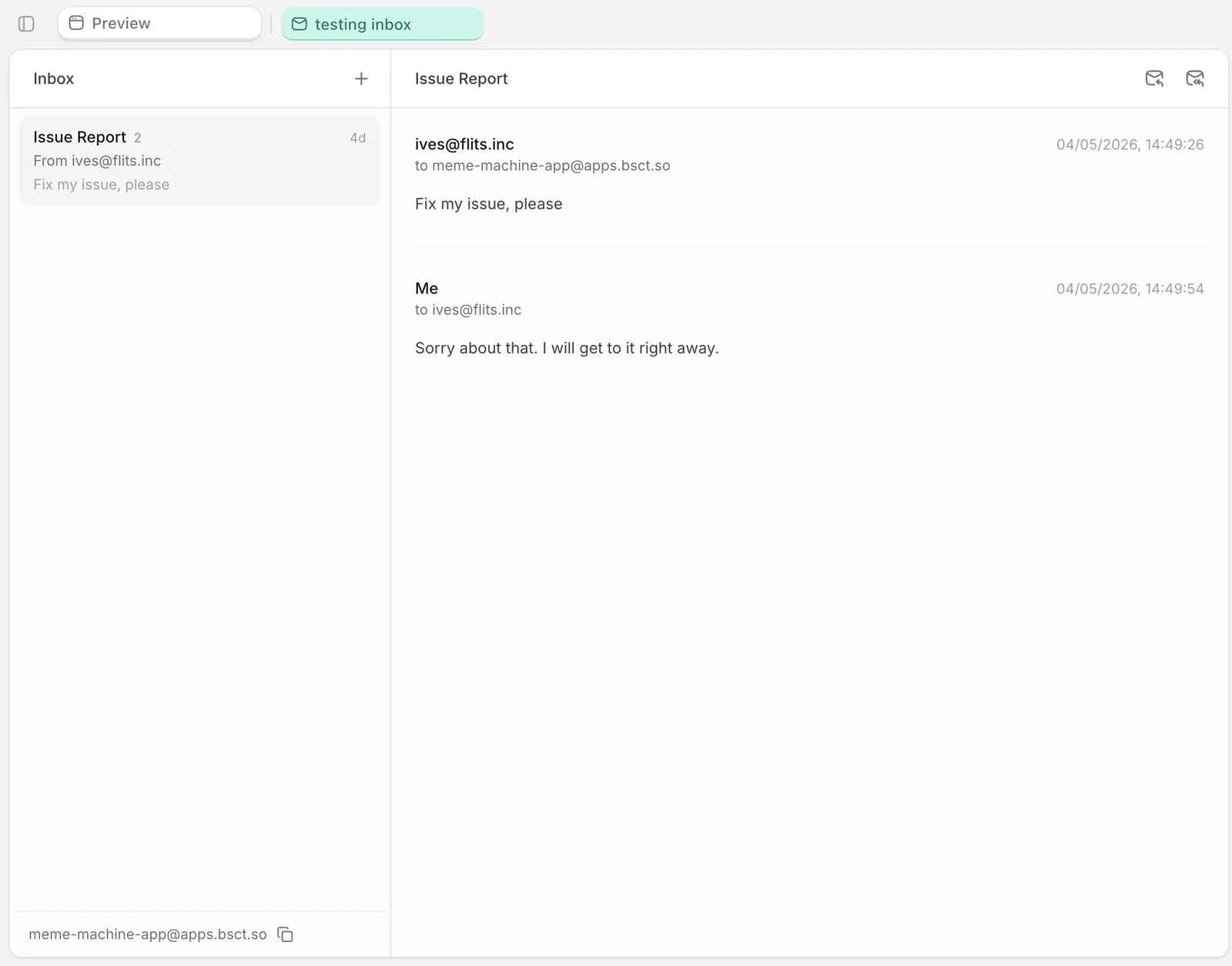
<your-app-slug>@apps.bsct.so (visible at the bottom of the inbox view above). To verify, send an email from your personal account to it. The message should appear in the inbox within a few seconds.
Triggering automation on incoming mail
If you want something to happen automatically when an email arrives, prompt for the workflow. Examples:- “When an email comes in, create a support ticket”
- “Reply to every inbound email with a confirmation message”
- “Save attachments from inbound emails to a Documents table”
- “Every Monday at 9am, send me a summary of last week’s emails”
Replying
When you reply from a workflow, use
Email.reply (not Email.send) so the reply preserves email-thread headers. Biscuit handles this automatically when you ask: “When I reply from the detail view, use Email.reply so it threads correctly.”What’s not yet supported
- Inbound addresses always use
apps.bsct.so. Custom receiving domains likehello@yourcompany.comaren’t available yet. - Forwarding logic is built per-workflow. There’s no platform-level forwarding rule setting.
FAQ
Why isn't the email showing up?
Why isn't the email showing up?
Check the address spelling on your app’s settings page. Then check Workflows → run history for any inbound-trigger workflow you set up; if it failed, the run log shows why.
Why aren't attachments visible?
Why aren't attachments visible?
They’re stored as Blob references on the email record. Biscuit usually adds them to the email detail view as a separate section. Scroll down, or ask in chat: “Show attachments on the inbox detail screen.”
Why aren't replies threading correctly?
Why aren't replies threading correctly?
Use
Email.reply from a workflow, not Email.send, so the reply preserves the thread. Ask: “When I reply from the detail view, use Email.reply so it threads correctly.”Up next
Sending emails
Trigger emails on signup, milestones, or schedules.
Workflows
The logic of your app, drawn so you can see and change it.
Working with Data
Every Biscuit app has a built-in database.