> ## Documentation Index
> Fetch the complete documentation index at: https://docs.biscuit.so/llms.txt
> Use this file to discover all available pages before exploring further.
# Connecting external APIs to your app from chat
> Connect any external service to your app. Chat to Biscuit to set up the integration, hand over the API key, and start pulling live data in.
export const faqSchema = {
"@context": "https://schema.org",
"@type": "FAQPage",
"mainEntity": [
{ "@type": "Question", "name": "Why is my API call failing after setup?", "acceptedAnswer": { "@type": "Answer", "text": "Most often this is the API key. Open Project Settings and check the key is current and has the right scopes for the API you're calling." } },
{ "@type": "Question", "name": "What do I do if I shared an API key in chat by accident?", "acceptedAnswer": { "@type": "Answer", "text": "Rotate it immediately at the API provider, then add the new one in the secure input box." } },
{ "@type": "Question", "name": "What if I'm new to API integration?", "acceptedAnswer": { "@type": "Answer", "text": "That's fine. Describe what you want the integration to do (in plain words) and Biscuit will guide you through what it needs." } }
]
};
If a service has an API and gives you a key, Biscuit can integrate with it. You don't write any code. You describe what you want in chat, hand over the API key when Biscuit asks, and Biscuit sets up the integration.
## A worked example: Vidmetrics
I'll walk you through this with an app I built called Vidmetrics. You add a YouTube video URL, and the app fetches the title, description, thumbnail, and view count from the YouTube Data API v3. Once a video is added, you can also fetch the latest changes.
See it running: [https://fizzy-muffin-h8u2.bsct.so/](https://fizzy-muffin-h8u2.bsct.so/)
## Steps to connect an API
In the chat, you can either explore openly or be specific. Both work.
* **Open**: "I want to fetch view count for my YouTube videos and show the count in the app. How can we do that?"
* **Specific**: "I want to integrate with YouTube Data API v3 to show view count."
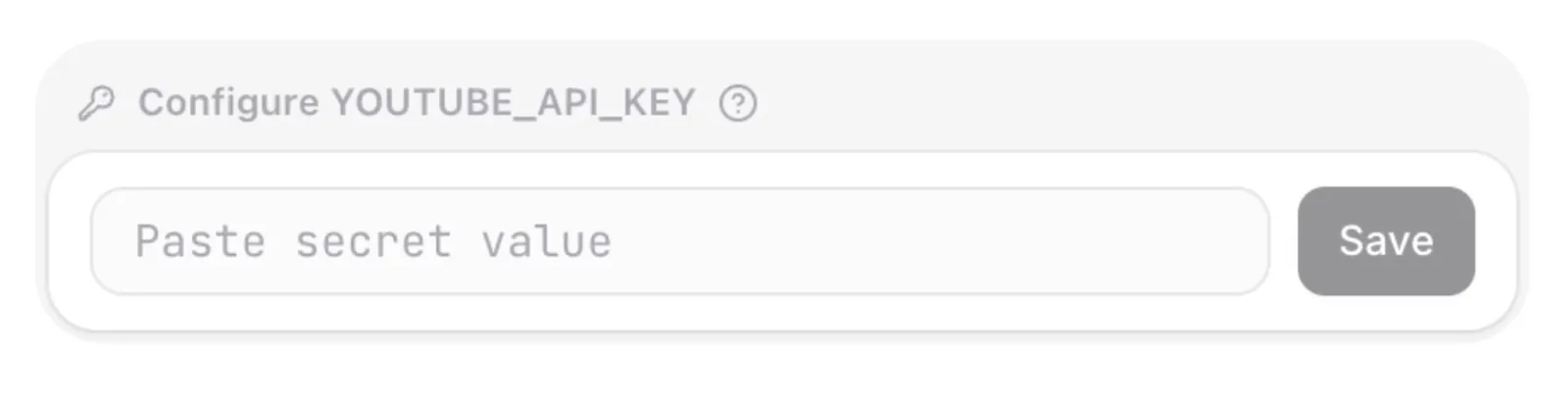
Biscuit will ask you for the API keys or secrets. Enter them in the secure input box that appears in chat. Don't paste them as plain text in the conversation.
Biscuit handles the integration setup, including the auth pattern and how the data flows into your app.
## Managing your secrets
All API keys you've added are visible in *Project Settings* (top-left corner). Add, rotate, or remove them from there. Keys are encrypted at rest and aren't visible in plaintext after entry.
**Try this prompt**
```
I want to fetch view count for my YouTube videos and show the count in the app. How can we do that?
```
## FAQ
Most often this is the API key. Open *Project Settings* and check the key is current and has the right scopes for the API you're calling.
Rotate it immediately at the API provider, then add the new one in the secure input box.
That's fine. Describe what you want the integration to do (in plain words) and Biscuit will guide you through what it needs.
## Up next
Every Biscuit app has a built-in database.
The logic of your app, drawn so you can see and change it.
From prompt to a live app on a custom domain.